How to Transfer Images onto Polymer Clay: Step by Step DIY Guide
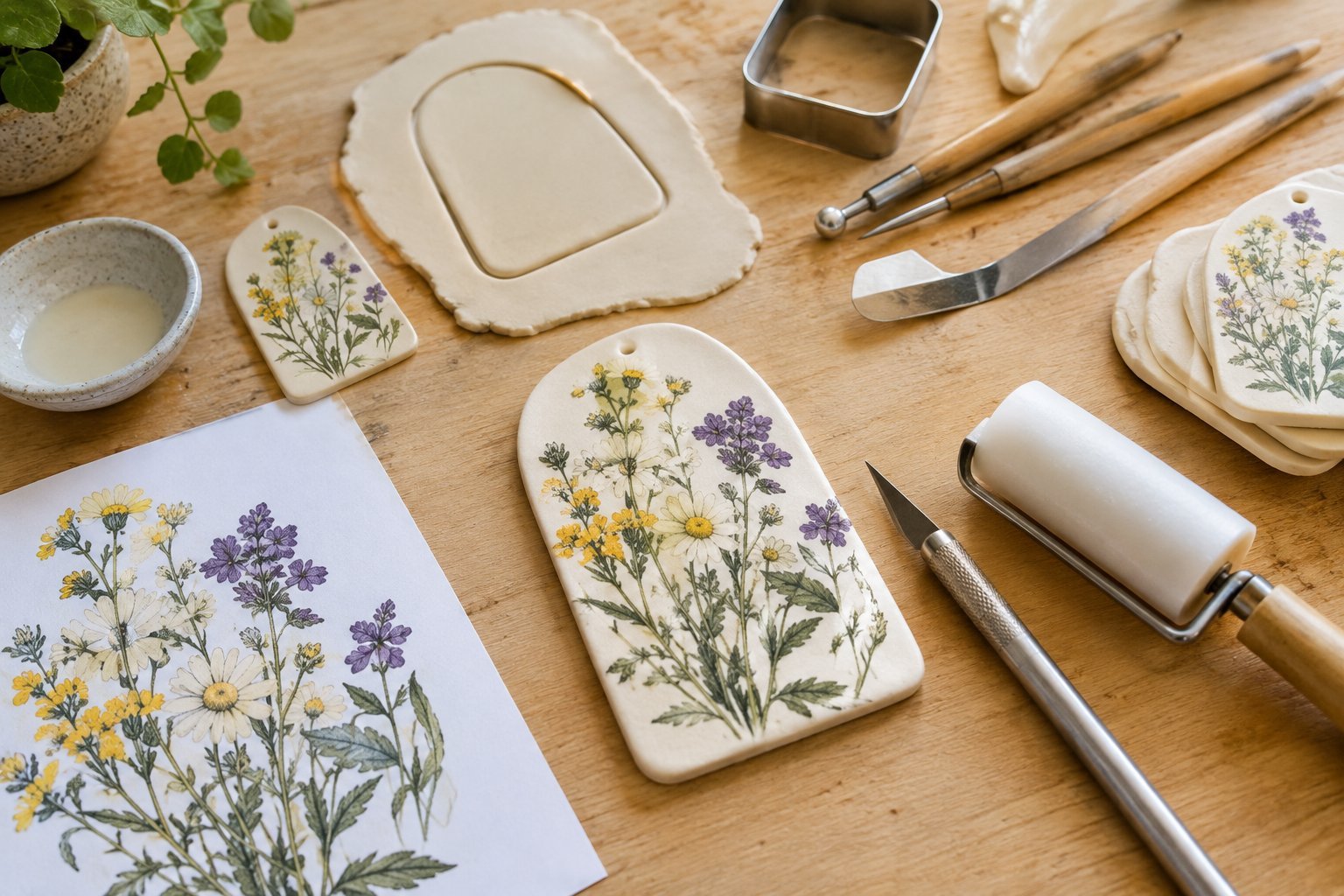
Transferring an image onto polymer clay is one of those techniques that can completely change the way a handmade clay project looks. I love using it when I want to add a detailed illustration, handwritten design, photograph, or small decorative image without having to recreate every tiny detail by hand.
Once I figured out how much difference the image quality, clay surface, and transfer method make, the process became much easier and far more predictable.
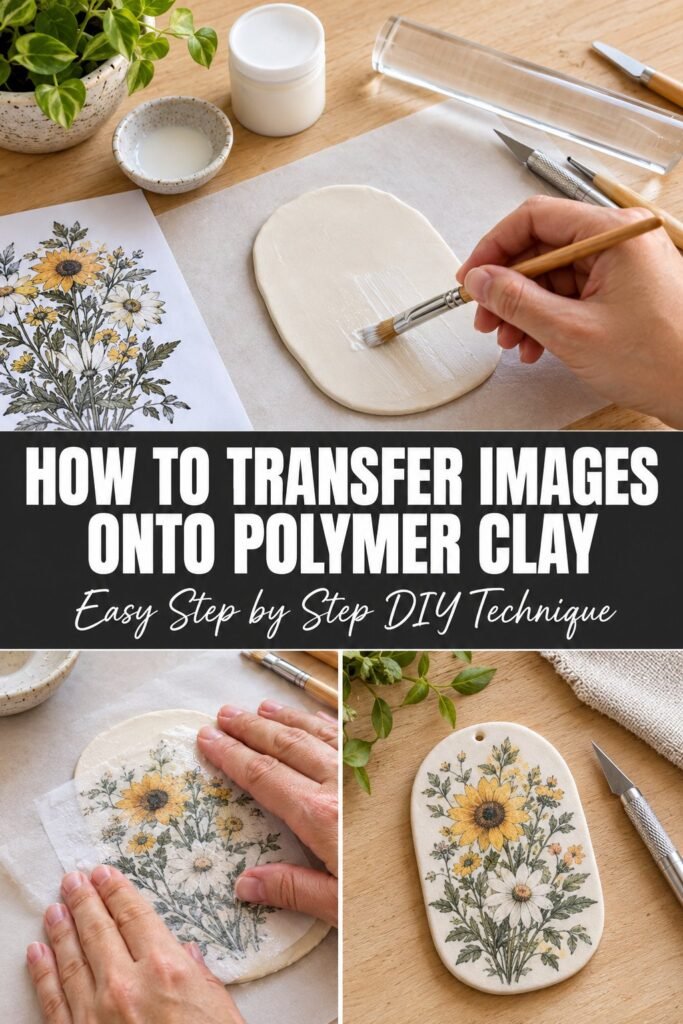
I have also learned that rushing the preparation stage usually creates more problems than the actual transfer itself. In this guide, I will walk you through the method I use, from choosing the right image and preparing the polymer clay to transferring the design and getting a clean result.
I will also explain what tends to go wrong, how to avoid blurry or incomplete transfers, and what you can do when your finished image needs a little extra care.
What You Need to Transfer an Image Onto Polymer Clay
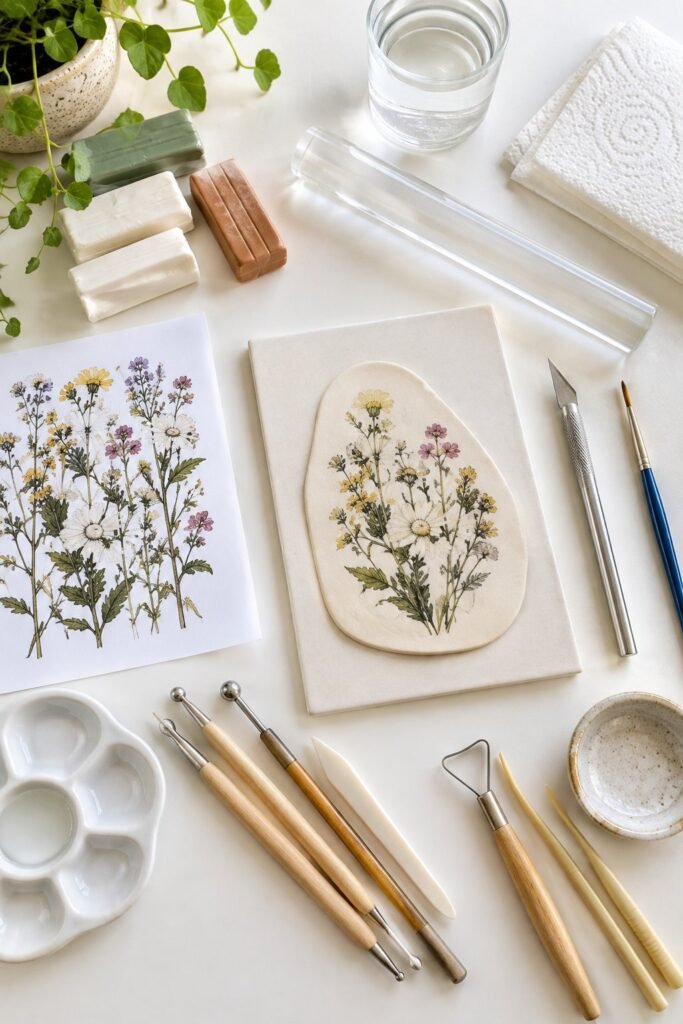
Before starting, I like to gather everything I need so I can work without stopping halfway through the process.
You will need:
- Polymer clay
- A printed image
- A smooth work surface
- Acrylic roller or clay rolling machine
- Craft knife or clay blade
- Small paintbrush
- Water
- Paper towel
- Baking surface or ceramic tile
- Oven suitable for polymer clay
- Fine sandpaper, if needed
- Clay sealer or suitable finish, depending on the project
The type of printed image matters more than many beginners expect. For this technique, I recommend starting with a laser printed image because toner based prints are commonly used for image transfer onto polymer clay.
I also keep the image fairly small when I am practicing. Smaller designs are easier to handle, and I can see exactly how well the transfer is working before committing to a larger project.
Choose an Image That Will Transfer Well
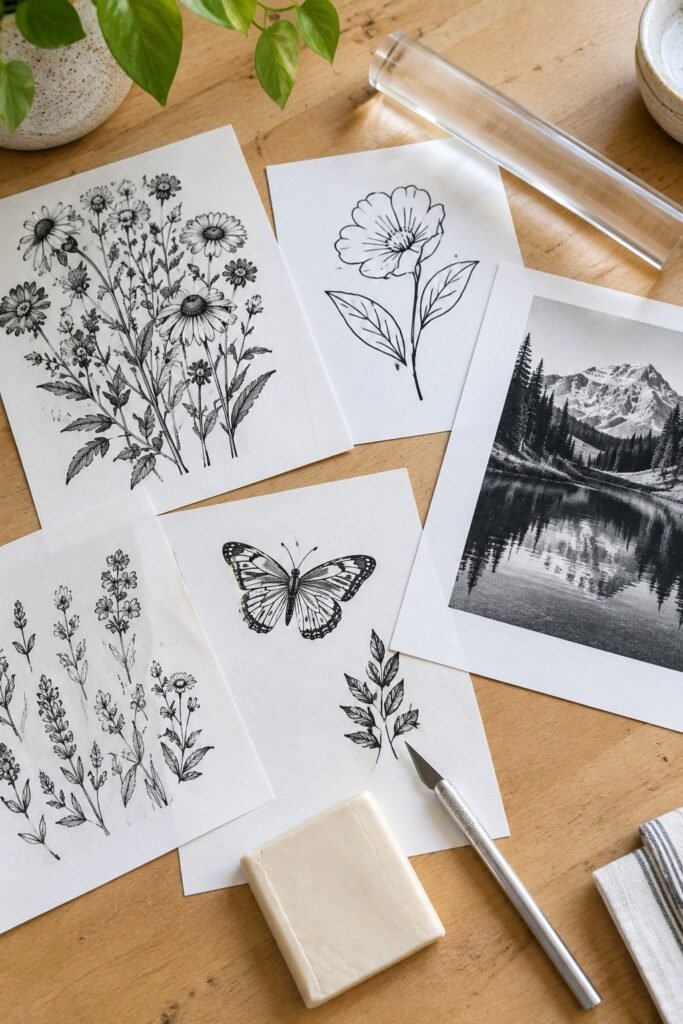
The image you choose can make the difference between a crisp finished piece and one that looks faded or difficult to recognize.
I prefer images with clear lines and good contrast. Simple illustrations, black and white drawings, lettering, logos, botanical designs, and photographs with defined details can all work well.
Very pale images can be harder to transfer cleanly because there may not be enough contrast between the toner and the clay.
If I am transferring text, I always remember that the image needs to be printed in reverse. Otherwise, the finished lettering will appear backward.
This is especially important for names, quotes, labels, and handwriting.
For a photograph, I also check the composition before printing. Tiny facial details and very light shadows may not reproduce as clearly as they appear on a computer screen.
A little editing beforehand can make a noticeable difference.
I usually increase the contrast slightly and remove unnecessary background details when I want the final image to look sharper on the clay.
Prepare the Polymer Clay
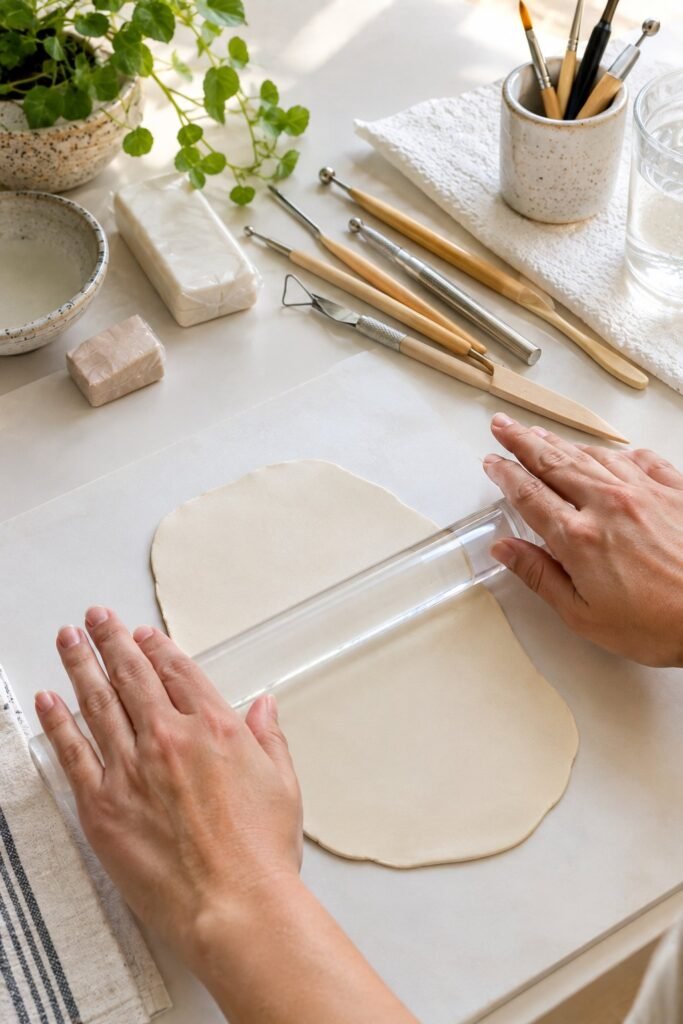
Conditioning the polymer clay properly is one of the most important parts of the process.
I start by working the clay in my hands until it becomes soft and flexible. If I am making a larger piece, I use a clay roller to create an even sheet.
For image transfers, I prefer a smooth clay surface because bumps and fingerprints can show through the finished design.
I roll the clay to the thickness required for the project and then place it on my work surface.
At this stage, I avoid handling the surface more than necessary.
Even small fingerprints can become surprisingly noticeable once the image has been transferred.
If I see fingerprints or uneven areas, I smooth them out before moving forward rather than trying to fix them after transferring the image.
Cut Your Printed Image to Size
Once the image is printed, trim away as much unnecessary paper as possible.
I like to leave a small border around the design because it gives me something to hold while positioning it on the clay.
If the image has a specific orientation, I double check it before placing it down.
This is the point where I also check that any lettering is reversed.
It is an easy detail to overlook, especially when you are working with a design that looks correct on the printed page.
Place the Image Onto the Clay
Place the printed image face down against the polymer clay.
The printed side needs to make good contact with the clay surface.
I gently press the paper into place with my fingertips, starting from the center and working toward the edges.
The goal is to remove air pockets without shifting the image.
I take my time with this part because moving the paper after it has started contacting the clay can cause the image to smear or transfer unevenly.
Once the image is positioned, I use a smooth tool or the back of a spoon to gently burnish the paper.
I work across the entire image using firm but controlled pressure.
The pressure helps the printed design make better contact with the clay.
I pay particular attention to the corners and edges because those areas are often the first places where a transfer becomes incomplete.
Give the Image Time to Transfer
After burnishing, I let the image sit against the clay before removing the paper.
This waiting period is important because immediately peeling the paper away can result in a weak or incomplete transfer.
I have found that patience makes a noticeable difference here.
Rather than repeatedly checking the image, I leave it undisturbed and prepare the next part of the project.
The exact timing can vary depending on the paper, printer, clay surface, and transfer method being used, so I recommend following the requirements of the particular transfer technique you are using rather than assuming one timing works for every project.
Remove the Paper Carefully
Once the transfer has had enough time, I begin removing the paper carefully.
I do not pull the paper away quickly.
Instead, I gently loosen it and work slowly across the surface.
If the technique calls for moistening the paper, I use a small amount of water and allow it to soften before rubbing the paper away gently.
This is where the transferred image begins to appear.
I prefer using my fingertip rather than a rough tool because I can control the pressure much better.
The paper may need several gentle passes before it comes away completely.
The biggest mistake I try to avoid is rubbing aggressively.
Too much pressure can remove parts of the transferred design along with the paper.
If a small amount of paper remains, I add a little more moisture and continue slowly rather than trying to remove everything in one attempt.
Continue Removing the Paper
Once the first layer of paper has been removed, I usually notice a thin white layer still sitting over parts of the image. This is normal, and I do not try to remove it all at once.
I lightly dampen my fingertip and gently rub the remaining paper away in small circular motions.
The key here is pressure.
I want to remove the paper without disturbing the toner underneath. When I rub too aggressively, small details can disappear, especially around thin lines, lettering, and delicate parts of an illustration.
I usually work across one small section at a time.
As the paper becomes thinner, I reduce the amount of pressure I use. The image becomes clearer as the remaining paper disappears, so I can easily see which areas still need attention.
I also keep a clean paper towel nearby and gently remove excess moisture as I work.
The clay should not be soaking wet.
Check the Transfer Before Baking
Once most of the paper has been removed, I stop and inspect the entire image carefully.
This is much easier to do before baking because I can still make small corrections.
I look for several things.
Are the edges of the image complete?
Are the letters readable?
Are any areas noticeably lighter?
Is there still paper covering part of the design?
Did any section become scratched while removing the paper?
Small imperfections do not necessarily mean the project has failed.
In fact, some of the most noticeable problems can be corrected before the clay goes into the oven.
If I see a small area that still has paper residue, I gently moisten it and remove it.
If part of the image looks slightly weak, I leave it alone rather than repeatedly rubbing the same area. Continued rubbing can make a small imperfect section much worse.
What to Do If the Image Looks Blurry
A blurry transfer usually comes from one of a few problems.
The original image may have been low quality.
The paper may have moved during the transfer.
The clay surface may not have been completely smooth.
There may also have been too much moisture or pressure during the paper removal stage.
When I am working on an important piece, I always test the image transfer on a small piece of scrap polymer clay first.
This gives me a chance to check how the image behaves before using the design on the actual project.
Testing is especially useful when you are using a new printer, different paper, or a different brand of polymer clay.
What to Do If Parts of the Image Did Not Transfer
An incomplete transfer can be frustrating, but I would not immediately throw the piece away.
First, I check whether the missing section is caused by leftover paper.
If it is, I carefully remove the remaining paper and check the image again.
If the toner itself did not transfer, there is usually not much that can be done to recreate that exact section after the fact.
This is why I prefer testing first.
For decorative projects, small imperfections can sometimes become part of the handmade look. For detailed portraits, lettering, or designs where accuracy matters, I would rather start again than keep rubbing the clay and risk damaging the surface.
Smooth the Clay Around the Design
After the image has transferred successfully, I inspect the surrounding clay.
Sometimes the transfer process leaves the surface slightly uneven, especially around the edges of the paper.
I carefully smooth the clay around the design without touching the transferred image more than necessary.
If the project requires cutting the clay into a particular shape, this is also the stage where I make those cuts.
I prefer doing the shaping after the image has been transferred because I can position the design exactly where I want it before trimming the clay.
For pendants, ornaments, magnets, earrings, and small decorative pieces, a sharp clay blade makes much cleaner cuts than trying to shape the clay with your fingers.
Avoid Adding Too Much Moisture
One thing I learned while working with image transfers is that more water does not necessarily make the process easier.
It is tempting to keep the paper very wet because the softened paper seems easier to remove.
However, excess moisture can make the clay surface difficult to work with and can make it harder to control the rubbing process.
I prefer using just enough moisture to soften the paper.
Then I remove the residue gradually.
This takes a little longer, but I get much more control over the finished image.
Bake the Polymer Clay
Once the image is clean and the clay is shaped the way I want it, I prepare it for baking.
Polymer clay needs to be baked according to the manufacturer’s instructions.
I do not rely on a general baking temperature or time because different polymer clay brands have different recommendations.
Before baking, I make sure the clay is sitting on a suitable baking surface and that the piece is positioned flat.
I also make sure my oven has reached the required temperature before putting the clay inside.
An oven thermometer can be helpful because household ovens can sometimes run hotter or cooler than the temperature shown on the dial.
I follow the baking instructions on the specific package of polymer clay I am using.
Underbaking can leave the clay weaker than intended, while excessive heat can discolor or damage the piece.
Let the Clay Cool Completely
Once the baking time is finished, I let the piece cool completely before handling it extensively.
Freshly baked polymer clay can feel different while it is still warm, so I avoid judging the final hardness immediately after removing it from the oven.
I place it on a flat surface and allow it to cool naturally.
Once it is completely cool, I inspect the image again.
This is also when I check the edges, surface, and overall appearance before deciding whether it needs any additional finishing.
Finishing the Transferred Image
The finishing method depends on what I am making.
For a simple decorative clay piece, I may leave the transferred image as it is.
For projects that need additional protection or a particular finish, I use a product specifically suitable for polymer clay and follow its application instructions.
I avoid assuming that every craft sealer is compatible with polymer clay.
Some finishes can remain sticky, change the appearance of the image, or react poorly with the clay over time.
I always test a finish on scrap clay first when I am unsure about compatibility.
Sanding the Edges
If I cut the clay after transferring the image, I check the edges once the piece has cooled.
A small piece of fine sandpaper can help smooth rough edges.
I work gently and keep the sanding focused on the edges rather than the transferred image itself.
For small jewelry pieces, this simple step can make the finished project feel much more polished.
Common Problems I Watch For
The Image Is Too Light
A weak image can be caused by a low contrast print, poor contact between the paper and clay, or incomplete transfer.
I start with a darker, clearer image and make sure the printed side is firmly against the clay.
The Image Is Backward
This is usually a problem with lettering.
If the design contains words, I make sure the image is mirrored before printing.
The Paper Will Not Come Off
Add a small amount of water and allow the paper to soften.
Then gently rub it away instead of pulling at it.
Parts of the Design Disappeared
This usually happens when the paper is rubbed too aggressively or when the transfer did not make good contact with the clay.
I use lighter pressure and make sure the entire image is firmly burnished before removing the paper.
The Clay Surface Looks Rough
The clay may not have been smooth before the transfer.
I now make sure the surface is clean, even, and free from fingerprints before placing the image.
The Image Smudged
Smudging can happen when the image or paper moves during the transfer process.
Once I position the image, I avoid shifting it and use controlled pressure when burnishing.
My Biggest Tip for Better Image Transfers
Do not make your first attempt on the final piece.
I always recommend making a small test piece from leftover clay.
Print a miniature version of the same image and test the complete process.
This lets you see how the particular paper, printer, clay, moisture, and finishing method behave together.
It also saves a lot of frustration.
Once I know the transfer works properly on the test piece, I feel much more confident using the same method on the finished project.
How to Transfer Images onto Polymer Clay: Step by Step DIY Guide
Different Ways to Transfer Images Onto Polymer Clay
Once you understand the basic process, you can experiment with several different ways to add images to polymer clay.
I usually choose the method based on the type of design I am working with rather than trying to use the same technique for every project.
Laser Printer Transfers
Laser printed images are one of the most common options for polymer clay transfers.
They work particularly well for illustrations, lettering, simple graphics, and designs with strong contrast.
I like this method when I want the image itself to become part of the clay rather than simply placing a separate piece of paper on top.
For text, remember to mirror the image before printing.
Waterslide Decals
Waterslide paper gives you another option when you want to add detailed artwork to a finished clay piece.
The design is printed onto special decal paper and then transferred onto the surface.
I find this useful when I want more control over the artwork or when the design contains details that are difficult to achieve with a traditional paper transfer.
The important thing is to use decal paper that is compatible with your printer and follow the manufacturer’s instructions.
Tissue Paper Transfers
Another approach is transferring printed designs using thin tissue paper.
This can create a slightly different appearance from a direct toner transfer and can work nicely for decorative clay projects.
I particularly like experimenting with this technique when I want the finished piece to have a softer, more layered appearance.
Image Transfers With Transfer Mediums
Some crafters use transfer mediums designed to move printed artwork onto another surface.
These can be useful for certain polymer clay projects, but compatibility matters.
I always recommend testing the product on scrap clay before using it on an important piece.
Polymer clay can react differently with different products, so a method that works perfectly on wood or paper does not automatically work the same way on clay.
What Types of Images Work Best?
You can transfer many different types of artwork onto polymer clay, but some designs are easier to work with than others.
Black and White Illustrations
These are some of my favorite images to experiment with because the contrast makes the details easy to see.
Botanical drawings, line art, simple illustrations, and decorative patterns can look especially good.
Handwritten Designs
Handwritten names, short phrases, and signatures can make polymer clay pieces feel much more personal.
I like this idea for keepsakes, jewelry, ornaments, and small gifts.
Just remember to mirror the writing before printing.
Family Photos and Personal Images
Photographs can also be transferred, although they require more preparation.
I recommend choosing an image with good lighting and clear details.
Very dark or heavily shadowed photographs may not transfer as clearly as expected.
I usually adjust the image before printing so that the important details remain visible.
Decorative Patterns
Patterns are another easy way to make this technique useful beyond photographs.
Floral patterns, geometric artwork, vintage style illustrations, and decorative motifs can all work well for clay projects.
Polymer Clay Projects You Can Make With Image Transfers
Once you get comfortable with the technique, you can use image transfers for much more than simple practice pieces.
Personalized Pendants
A transferred photograph, illustration, or name can turn a simple clay pendant into a personalized keepsake.
I like keeping the design relatively small so the finished pendant does not feel overcrowded.
Decorative Magnets
Magnets are another easy project because they give you a flat surface for experimenting.
They are also a good option when you are learning because the clay does not need to be shaped into a complicated form.
Custom Ornaments
Transferred illustrations and photographs can make beautiful personalized ornaments.
A family photograph, pet illustration, handwritten message, or special date can turn a basic clay ornament into something meaningful.
Jewelry
Small transferred images can work well on earrings, bracelets, pendants, and other jewelry pieces.
For jewelry, I pay particular attention to the edges because rough edges become much more noticeable when the finished piece is worn.
Keepsake Tiles
Flat polymer clay tiles are another great surface for image transfers.
You can use artwork, photographs, meaningful quotes, or decorative designs depending on the project.
Mistakes I Would Avoid
After working with this technique, there are several mistakes I try to avoid.
Using a Poor Quality Image
A low resolution image usually does not become clearer when transferred.
Start with the best quality artwork you can.
Forgetting to Mirror Text
This is one of the easiest mistakes to make.
If your design contains words, check the orientation before printing.
Skipping the Test Piece
Testing may seem like an extra step, but it can save your finished project.
A small piece of scrap clay lets you test the complete process without risking your final design.
Rubbing Too Hard
The image can be damaged when removing the paper if you use too much pressure.
I work slowly and use gentle rubbing instead.
Making the Clay Too Thin
Very thin clay can be difficult to handle, especially when you are still learning the technique.
For most projects, I prefer working with a comfortable thickness that can be handled without bending or stretching.
Handling the Surface Too Much
Fingerprints and small marks can become visible after the image is transferred.
I try to handle the edges whenever possible and keep the main surface untouched.
Using an Incompatible Finish
Not every varnish, sealer, or coating works well with polymer clay.
If you want to seal the finished image, check that the product is suitable for polymer clay and test it first.
How I Get a Cleaner Finished Result
The biggest improvement in my own projects came from slowing down.
Image transfers are not difficult because the individual steps are complicated. They are difficult because small mistakes can affect the final image.
I prepare the clay carefully.
I choose a clear image.
I check the orientation.
I make sure the printed side is firmly against the clay.
I burnish the image evenly.
I remove the paper gradually.
Then I inspect the transfer before baking.
That simple routine gives me much more consistent results.
I also prefer making the image slightly larger than the final design when possible. This gives me enough room to trim the clay afterward without accidentally cutting into an important part of the artwork.
Can You Transfer a Color Image Onto Polymer Clay?
Yes, color images can be used with some transfer techniques, but the result depends heavily on the printer, paper, transfer method, and type of image.
I would not assume that a method that works beautifully with a black and white laser print will produce the same result with a full color photograph.
For an important color project, I recommend testing the exact combination of printer, paper, clay, and finishing product beforehand.
That small test can tell you much more than simply looking at someone else’s finished project.
How Long Does an Image Transfer Onto Polymer Clay Last?
A properly baked polymer clay piece can remain durable for a long time, but the longevity of the transferred image also depends on the transfer method and how the finished item is handled.
Jewelry and frequently handled pieces naturally experience more wear than decorative pieces that remain on a shelf.
For projects that will be touched regularly, I pay extra attention to the finishing stage and choose materials that are compatible with polymer clay.
Can You Transfer a Photo Onto Polymer Clay?
Yes, photographs can be transferred onto polymer clay using suitable transfer methods.
For the clearest result, I prefer photographs with strong contrast, good lighting, and a relatively simple background.
I also recommend testing a small version first.
A photograph that looks perfect on a screen may lose some detail during printing and transferring, so the test gives you a realistic idea of how the finished image will look.
Final Thoughts
Learning how to transfer images onto polymer clay gives you a simple way to create pieces that feel much more personal than plain clay projects.
The process becomes much easier once you understand the importance of image quality, a smooth clay surface, proper positioning, gentle paper removal, and careful baking.
My biggest recommendation is to practice on scrap clay before working on your final project.
That small test helps you understand how your particular materials behave and gives you a chance to adjust the technique before committing to an important piece.
Once you have a reliable method, you can start experimenting with photographs, artwork, handwriting, patterns, names, and other designs.
I especially like this technique because it allows you to turn a simple sheet of polymer clay into something completely personal without needing advanced drawing skills.
Take your time with the transfer, keep the clay surface clean, and resist the urge to rush the paper removal stage. Those small details make a noticeable difference in the finished result.